CapCut Pro vs Filmora Pro – Feature-Packed All-Rounder Comparison 2026
In the fast-growing world of video editing in 2026, creators have excellent choices for turning ideas into polished content. Two standout options are CapCut Pro and Filmora Pro (from Wondershare Filmora’s advanced offerings). Both deliver powerful tools, smart AI features, and user-friendly experiences that help beginners and experienced editors produce high-quality videos with ease.
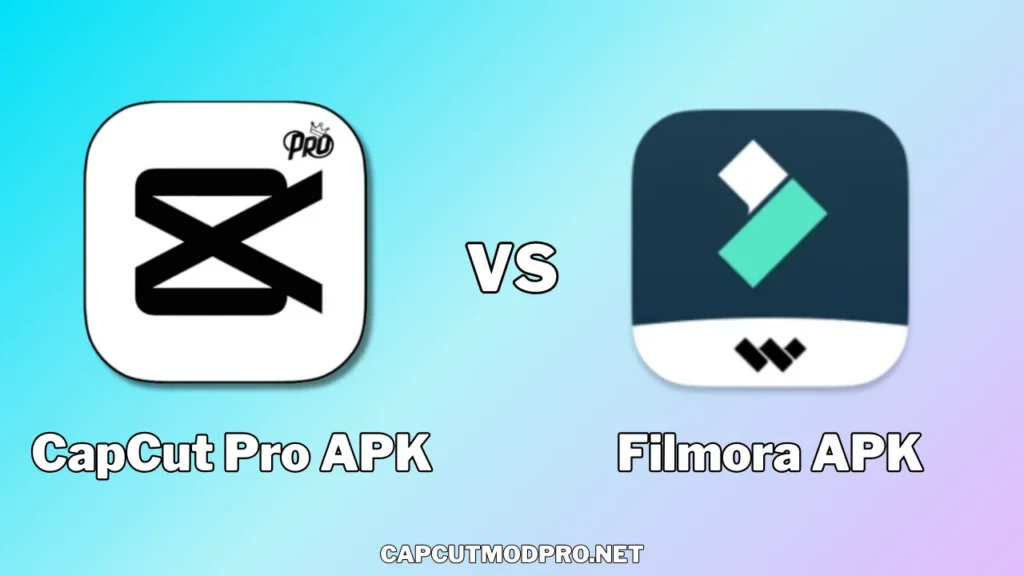
This in-depth comparison explores their key strengths, helping you understand which one suits your creative needs best. Whether you create short social media clips, YouTube videos, marketing content, or more detailed projects, both editors shine as versatile all-rounders. They offer positive advancements in speed, creativity, and accessibility, making video editing enjoyable and efficient.
Overview of CapCut Pro
CapCut Pro stands out as a modern, AI-driven editor that excels in quick, creative workflows. Originally popular on mobile, its Pro version brings advanced capabilities across mobile, desktop, and web platforms. It focuses on simplicity combined with powerful features, making it ideal for fast-paced content creation.
Key highlights include a vast library of trendy templates, smooth performance, and generous cloud storage in the Pro plan. Users appreciate how it removes barriers like watermarks and unlocks premium assets, allowing for professional-looking results without complexity.
Overview of Filmora Pro
Filmora Pro (often referring to the full premium version of Wondershare Filmora, such as Filmora 15 in 2026) provides a balanced, desktop-focused experience with strong creative controls. It builds on an intuitive interface while adding depth for more precise editing. Known for its reliability, Filmora Pro integrates many AI enhancements that simplify tasks and boost output quality.
It supports a wide range of formats, offers extensive effects, and includes tools for detailed storytelling. The software continues to evolve with updates that emphasize efficiency and professional polish.
Pricing Comparison
Both editors use subscription models that provide great value for the features included.
CapCut Pro typically offers plans around $19.99 per month or $179.99 per year (with occasional variations based on promotions). This unlocks full access to AI tools, premium templates, effects, no watermarks, up to 4K exports, and substantial cloud storage (often around 1TB). The pricing remains competitive, especially for creators who value frequent updates and a large asset library.
Filmora Pro provides annual plans often in the $50-60 range per year (with perpetual options in some cases), including cloud storage, points for AI features, and access to a rich collection of effects and assets. It delivers strong affordability for users seeking a one-time feel with ongoing updates.
Both deliver excellent returns on investment through time-saving tools and high-quality exports, helping creators focus more on ideas and less on technical hurdles.
User Interface and Ease of Use
Ease of use plays a big role in enjoying the editing process.
CapCut Pro impresses with its clean, modern interface that feels intuitive right away. Drag-and-drop actions work smoothly, and the layout supports quick edits on both mobile and desktop. Beginners find it welcoming, while pros enjoy the speed for iterating ideas rapidly. The design prioritizes creativity without overwhelming options.
Filmora Pro offers a familiar timeline-based setup that many find comfortable and logical. It balances simplicity with depth, providing clear menus and customizable workspaces. New users adapt quickly thanks to helpful guides, and experienced editors appreciate the precision in timeline controls.
Both editors earn praise for reducing learning curves while supporting growth in skills.
AI-Powered Features
AI tools have transformed video editing in 2026, and both CapCut Pro and Filmora Pro lead with innovative options.
CapCut Pro excels with a full suite of advanced AI capabilities:
- Auto captions with multi-language support and customizable styles
- Background removal and replacement
- Motion tracking for dynamic effects
- Noise reduction and audio enhancement
- AI video generation, music creation, and image tools
- Smart enhancements for better quality and speed
These features make editing faster and more creative, especially for social media content.
Filmora Pro brings impressive AI innovations:
- AI Extend to lengthen clips naturally
- Object removal and background cutout
- Portrait tools and relighting for better lighting
- Auto-captioning and smart reframing
- Audio stretch and denoise
- Generative AI for effects and enhancements
Filmora Pro’s AI focuses on seamless integration, helping users achieve polished results with minimal effort.
Both provide strong AI support that saves time and sparks new ideas.
Editing Tools and Timeline Features
Core editing remains essential for any all-rounder.
CapCut Pro supports multi-layer editing, precise trimming, speed adjustments, and advanced transitions. Its timeline handles complex projects well, with smooth playback and easy keyframing. Templates speed up workflows, and effects apply effortlessly.
Filmora Pro offers robust timeline tools, including dual timelines in recent updates, sub-projects, and source preview editing. It provides excellent motion tracking, color correction, and audio mixing. Precision tools like J-cuts and L-cuts enhance storytelling.
Both handle 4K and higher resolutions smoothly, with no watermarks in Pro versions.
Effects, Transitions, and Assets
A rich library elevates any project.
CapCut Pro provides an extensive collection of premium templates, filters, stickers, fonts, and stock music. The Pro version unlocks exclusive effects and a huge range of trendy assets, perfect for viral or stylish videos.
Filmora Pro includes thousands of effects, transitions, titles, and overlays. Its asset ecosystem features high-quality stock elements, LUTs, and plug-ins that integrate seamlessly.
Both deliver variety to match different styles, from fun and energetic to cinematic and professional.
Performance and Export Options
Smooth performance matters for enjoyable editing.
CapCut Pro runs efficiently on various devices, with fast rendering and reliable exports up to 4K (and HDR in some cases). Cloud features aid collaboration and backups.
Filmora Pro performs strongly on desktops, handling large files and complex timelines without slowdowns. Exports support multiple formats and high resolutions.
Both ensure watermark-free, high-quality outputs that look great on any platform.
Platform Support and Accessibility
CapCut Pro shines with cross-platform flexibility: mobile (iOS/Android), desktop (Windows/Mac), and web editing. This suits creators who switch devices often.
Filmora Pro focuses on desktop (Windows/Mac) with mobile options, offering a consistent experience for computer-based workflows.
Both make editing accessible wherever inspiration strikes.
Which One Fits Your Needs?
CapCut Pro often appeals to creators who prioritize speed, mobile integration, and trendy social content. Its AI tools and templates make it easy to produce engaging videos quickly.
Filmora Pro attracts users who enjoy detailed control, storytelling depth, and desktop precision. It supports longer-form projects with professional touches.
Both stand as excellent all-rounders in 2026, packed with features that empower creativity. Many creators even use both for different projects, taking advantage of their unique strengths.
Final Thoughts
CapCut Pro and Filmora Pro represent the best of modern video editing—accessible, powerful, and constantly improving. They remove old barriers, letting anyone create impressive content with confidence.
No matter your choice, you’ll find positive experiences through smart tools, beautiful results, and efficient workflows. Explore their free trials to see which feels right for your style. Video editing has never been more exciting or rewarding!